Take your most powerful agents for a walk.

The agents and terminals running on your computers, in your pocket. Check in, talk to them, even by voice, and say yes from anywhere, over a private network only your devices can join.

Free to start. Your computer can be a Mac or a Linux machine.
Every agent on every computer, in one place.

Your laptop, the desktop at home, the box in the closet. Kennel gathers every session into one list, each with its real name and a face for the agent running it.

Set up in about two minutes. No terminal needed.

Kennel connects your phone straight to your computer on a private network that only your devices can join. Nothing to configure.

  1. 1

    Get the app and create your account

    One tap with Apple or Google, or use your email. It's free, and it's how your phone and computers find each other.

  2. 2

    On your computer, visit kennel.halfheeler.com/start

    Download Kennel for Mac and open it. It lives in your menu bar. On Linux, paste one line instead:

    curl -fsSL kennel.halfheeler.com/install | sh
  3. 3

    Scan the code it shows you

    Kennel finds the agents on that computer and asks once, in plain words, if it can listen for their questions. Then your agents show up.

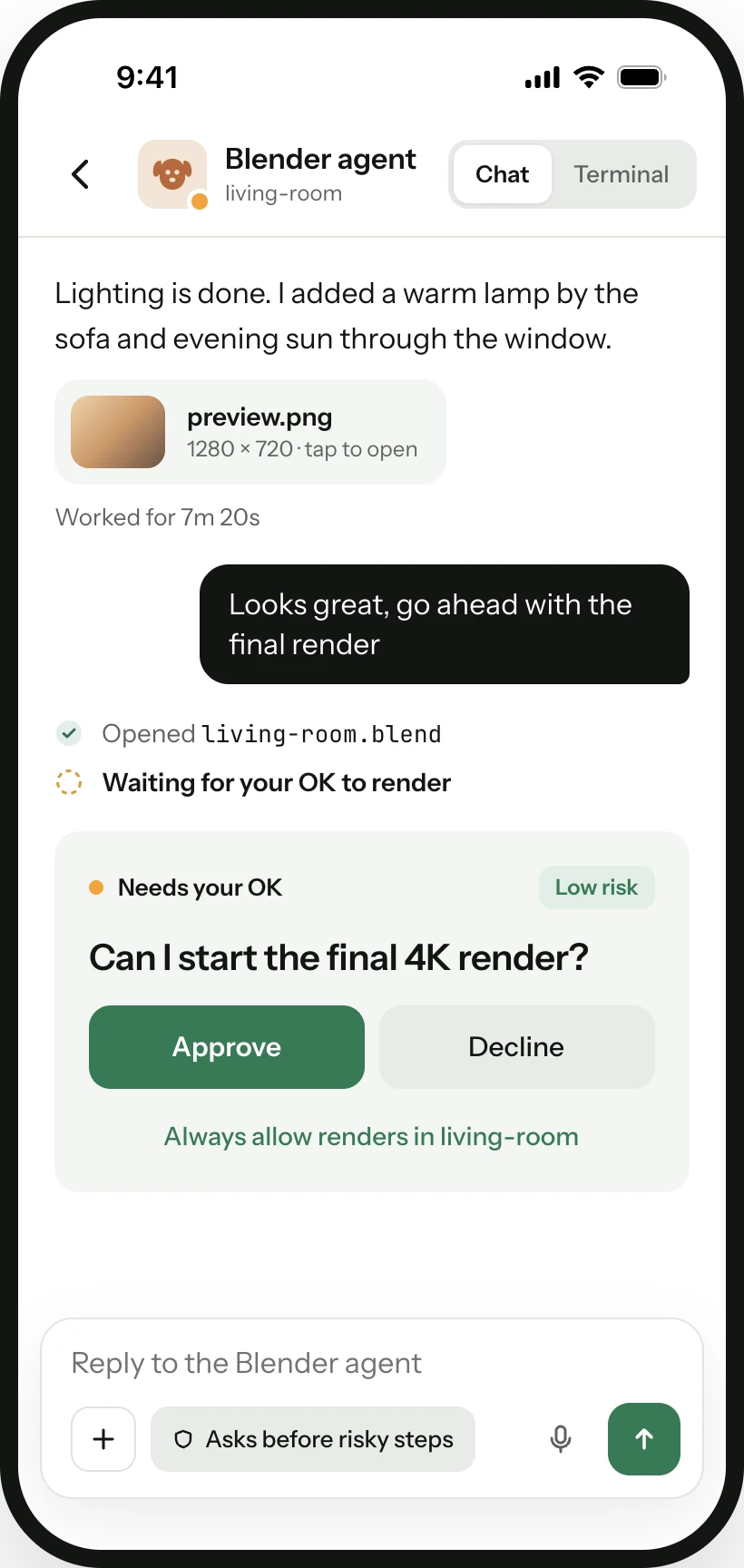
A Kennel chat with a coding agent on iPhone, with an approval request inline

Talk to it like you're sitting at your desk.

Open any session and you're in the same conversation you left on your computer. Type, dictate or paste a screenshot. When it asks permission, answer right there.

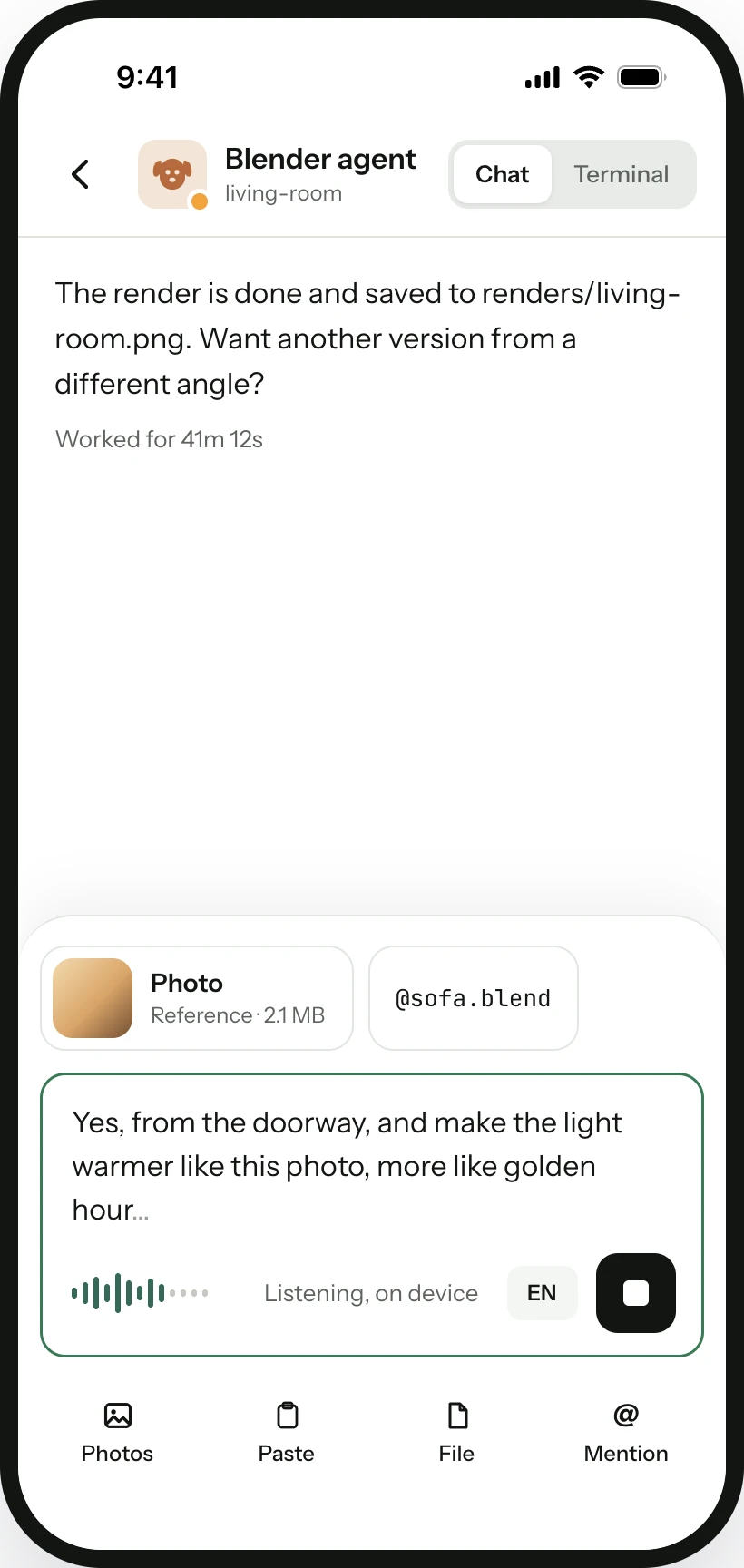
Dictating a message to an agent in Kennel

Don't type. Just say it.

Hold the mic and talk to your agent the way you'd talk to a teammate, in any language. Kennel turns it into text right on your phone, ready to send. Add a screenshot or a file while you're at it.

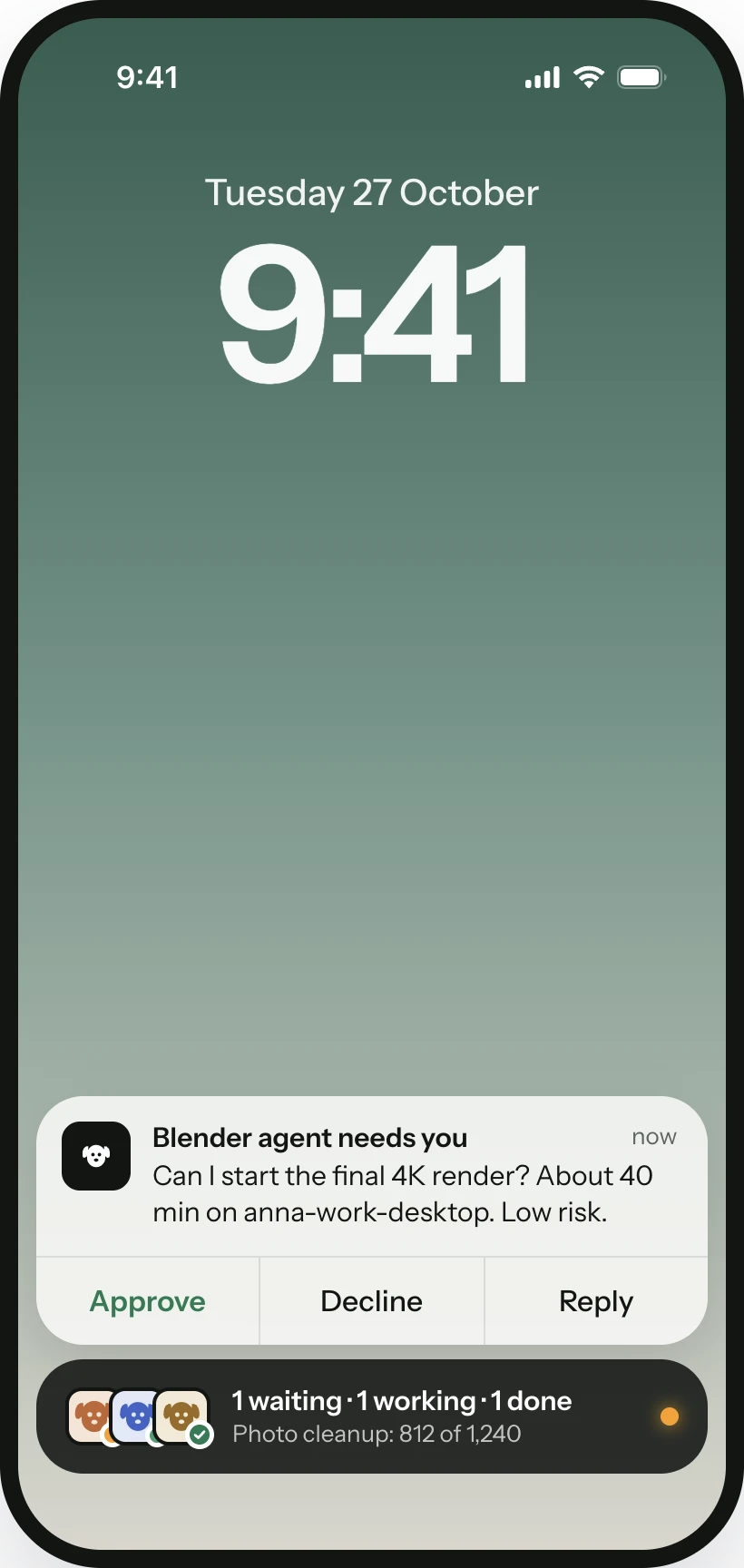
A Kennel approval notification on the iPhone lock screen

Answer from your lock screen.

Questions arrive as notifications you can answer from the lock screen or your Apple Watch. A Live Activity shows who's busy. Approvals are free, always.

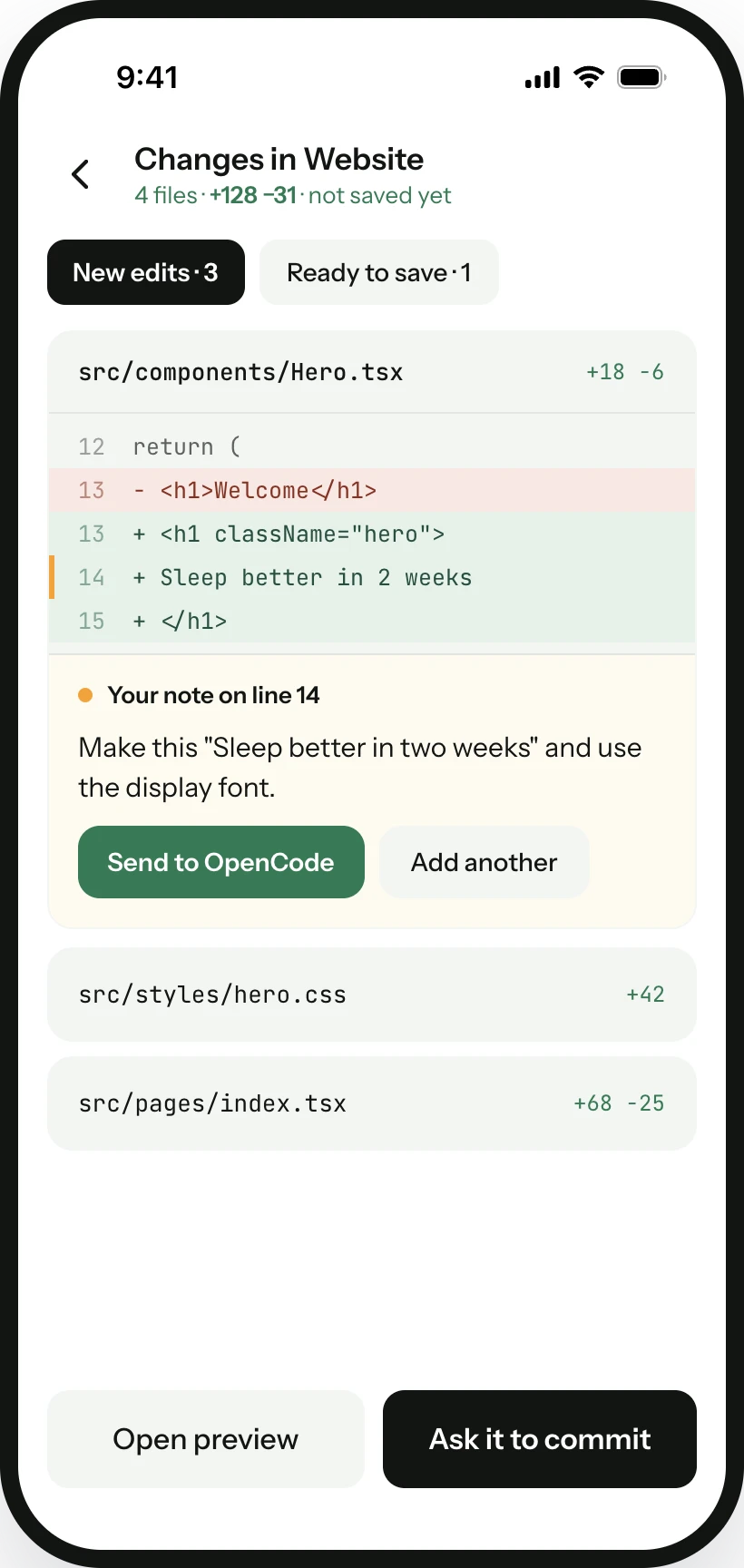
Reviewing an agent's file changes line by line in Kennel

Look at the work before you trust it.

See every file your agent changed, line by line. Spot something off? Tap the line, leave a note, and it goes straight back to the agent.

And when you want the whole toolbox, it's there.

Nothing here is in your way on day one. Kennel suggests each one as a trick when you're ready.

Your code stays between your phone and your computer.

Your prompts, commands and files travel straight across your own private network. Kennel's servers only ever pass along sealed envelopes they can't open.

Never pay to get unstuck.

Every yes, every no and every reply is free, on every plan, forever. Plus is for people who want more computers and more tricks.

Free

$0
  • Unlimited approvals and replies
  • 2 computers
  • Chat and terminal
  • Lock screen, Live Activity and Apple Watch
  • House rules
Get Kennel for iPhone

Kennel Plus

$6 a month, or $49 a year
  • Everything in Free, plus:
  • Unlimited computers
  • Changes, comments and web previews
  • iOS Simulator streaming
  • Extra themes and cloud voice
Try Plus free for 14 days

Go for a walk. They'll call if they need you.

Get Kennel for iPhone Then visit kennel.halfheeler.com/start on your computer.